


 Surcharging
Get your most expensive
card payments for free.
Our surcharging engine adds a surcharge to payments with commercial cards, equal to your fee for that card. Your customers with personal cards never pay extra.

How it works
Three steps. Zero cost.
- 01
A customer pays with a commercial card.
Business and corporate cards are your most expensive card payments.
- 02
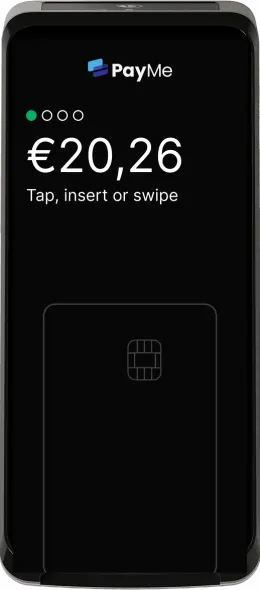
The terminal shows the surcharge.
The cardholder sees the amount and confirms it before paying.
- 03
The surcharge covers your fee.
It equals your fee for that card and is added to your balance.
Fair for you and for your customers.
Zero cost on commercial cards
The surcharge equals your fee for that card, so those payments cost you nothing.
Personal cards never pay extra
Only business and corporate cards are surcharged, as EU rules require.
Transparent at the terminal
The cardholder sees the surcharge and confirms it before paying. Tips are never surcharged.
Visible in your reporting
Every payment shows its surcharge in your PayMe dashboard and in your exports.
Example
What it means for a €100 payment.
A payment with a commercial credit card, where your fee for that card is €0.10 + 3.90%.
- Payment
- €100.00
- Your fee for this card
- €4.00
- Surcharge, paid by the cardholder
- + €4.00
- The cardholder pays
- €104.00
Example only. Actual amounts depend on your pricing for each card.
You choose which cards.
Your account manager sets it up per store, with one of two options.
All cards except local
Commercial cards from every country except your own.
Only cards from outside Europe
Only commercial cards issued outside the European Economic Area.


 Discover and Diners
Questions about surcharging
Do my regular customers pay extra?
No. Only commercial (business) cards are surcharged; personal cards never are.
Is surcharging legal?
Yes. EU rules (PSD2) ban surcharging consumer cards and cap surcharges at cost. PayMe only surcharges commercial cards, at exactly your fee for that card.
Can the customer refuse?
The cardholder sees the surcharge on the terminal and confirms it before paying.
Do I need to set anything up?
No. Your PayMe account manager switches surcharging on for your store, together with a flat-fee pricing plan for those cards.
Where do I see the surcharges?
Every payment shows its surcharge amount in your PayMe dashboard and in your exports. The surcharge is added to your balance with the payment.
Does it work with Tap to Pay on my phone?
No. Surcharging works on PayMe payment terminals, which can recognise commercial cards.
Stop paying for business cards.
Surcharging is switched on by PayMe. Ask your account manager or our team about the options.
Ask about surcharging