


 All PayMe options
Payment terminals and Tap to Pay for every business
From your own phone to a terminal with a receipt printer or a self-service terminal in a vending machine: compare every PayMe option and find the one that fits how you sell. Same simple pricing, one dashboard.
Which one fits you?
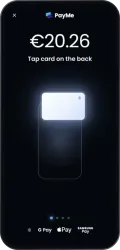
Best for getting started without hardware
Tap to Pay on Android
Turn your Android phone into a payment terminal. Download the app, verify your business and take contactless payments the same day.
Explore Tap to Pay on Android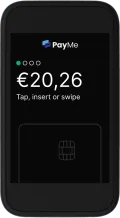
Best for selling on the move
PayMe Pocket
A compact, lightweight terminal for markets, events and table service. Pair it with the app and sell anywhere.
Explore PayMe Pocket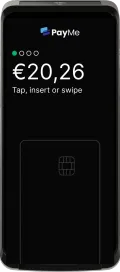
Best when customers expect a receipt
PayMe Go
A complete terminal with a built-in receipt printer, for shops, cafés and counters where paper receipts matter.
Explore PayMe Go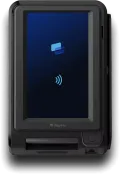
Best for self-service
PayMe Solo
An unattended terminal for vending machines, kiosks and other self-service points, so customers can pay without staff.
Explore PayMe Solo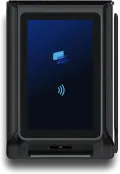
Best for outdoor and EV charging
PayMe Solo Mini
Compact and rugged (IP65, IK10, -30 to 80 °C) for EV chargers and vending machines, indoors or out.
Explore PayMe Solo Mini
Tap to Pay on iPhone is coming soon
Compare at a glance
| Feature | AndroidTap to Pay on Android | PocketPayMe Pocket | GoPayMe Go | SoloPayMe Solo | Solo MiniPayMe Solo Mini |
|---|---|---|---|---|---|
| No extra hardware | Yes | – | – | – | – |
| Take it anywhere | Yes | Yes | Yes | – | – |
| Printed receipts | – | – | Yes | – | – |
| Unattended self-service | – | – | – | Yes | Yes |
| Built for outdoors | – | – | – | – | Yes |
| Cards, Apple Pay & Google Pay | Yes | Yes | Yes | Yes | Yes |
| Same PayMe dashboard | Yes | Yes | Yes | Yes | Yes |
Swipe to compare all options →
One simple pricing model for every option
No subscription, no setup costs and no contract. You pay a fee per payment, the same whether you use a terminal or Tap to Pay, and Apple Pay and Google Pay cost no extra.
Questions about choosing a payment terminal
- Which payment terminal do I need?
- It depends on how you sell. Starting out or selling occasionally? Tap to Pay on your phone needs no hardware. Moving around? PayMe Pocket is compact and mobile. Need paper receipts? PayMe Go has a built-in printer. Selling without staff, in a vending machine, kiosk or EV charger? Choose PayMe Solo or the rugged PayMe Solo Mini.
- Can I accept card payments without a payment terminal?
- Yes. With Tap to Pay your smartphone becomes the payment terminal: customers tap their contactless card or phone on the back of your phone.
- Do the fees differ per terminal?
- No. The per-payment fees are the same for every PayMe option, and you pay no monthly costs, setup costs or extra fees for Apple Pay and Google Pay.
- Do I need a contract?
- No. There's no contract and no lock-in, so you can stop whenever you want.
- Which payment methods do PayMe terminals accept?
- All major cards such as Visa, Mastercard, Maestro and American Express, digital wallets like Apple Pay and Google Pay, and local payment methods.
- Can I combine several terminals?
- Yes. You can mix terminals and Tap to Pay, and follow every sale, refund and payout in the same PayMe dashboard.